Ask Aptly Assistant in Microsoft Teams what you can approve, get a cited answer, and approve, issue or revoke authority in the chat.


Aptly Assistant is Aptly's Microsoft Teams app. People ask in plain language what they can approve and up to what limit, and get an answer drawn from your governed Aptly records, with a citation to the decision, the delegation, the limit and who granted it. When they choose to act, they can approve, issue or revoke authority in the same conversation.
Aptly Assistant is free in the Microsoft Marketplace for every Aptly client.
Plain-language answers on decision rights
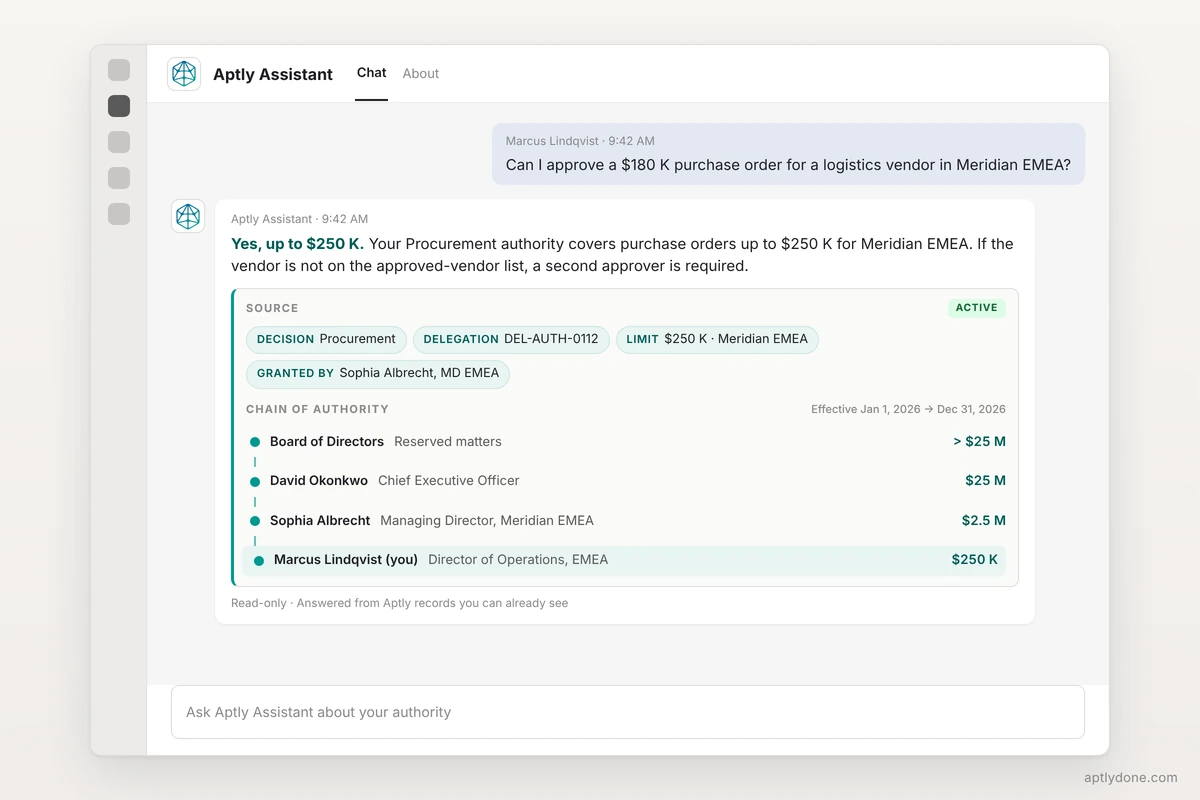
Ask whether you can approve a specific purchase order, contract or hire and get a direct answer with the limit and any conditions, such as a second approver for vendors outside the approved list.
A citation on every answer
Every answer shows the decision, the delegation, the limit and who granted it. Answers come only from the governed records finance, legal, procurement and compliance already rely on, never from a general model's own knowledge.
Full chain of authority
Trace any authority back through each delegation to where it originated, and see which of your authorities are about to expire.
Notifications and alerts
Get notified in Teams when authority is issued, approved, revoked or nearing expiration. Alerts can go to specific channels or private chats, so each governance event reaches the people who need it.
Org-wide questions, answered by role
Questions about the wider organization return decisions and published limits rather than naming individuals.
Approve, issue or revoke in the conversation
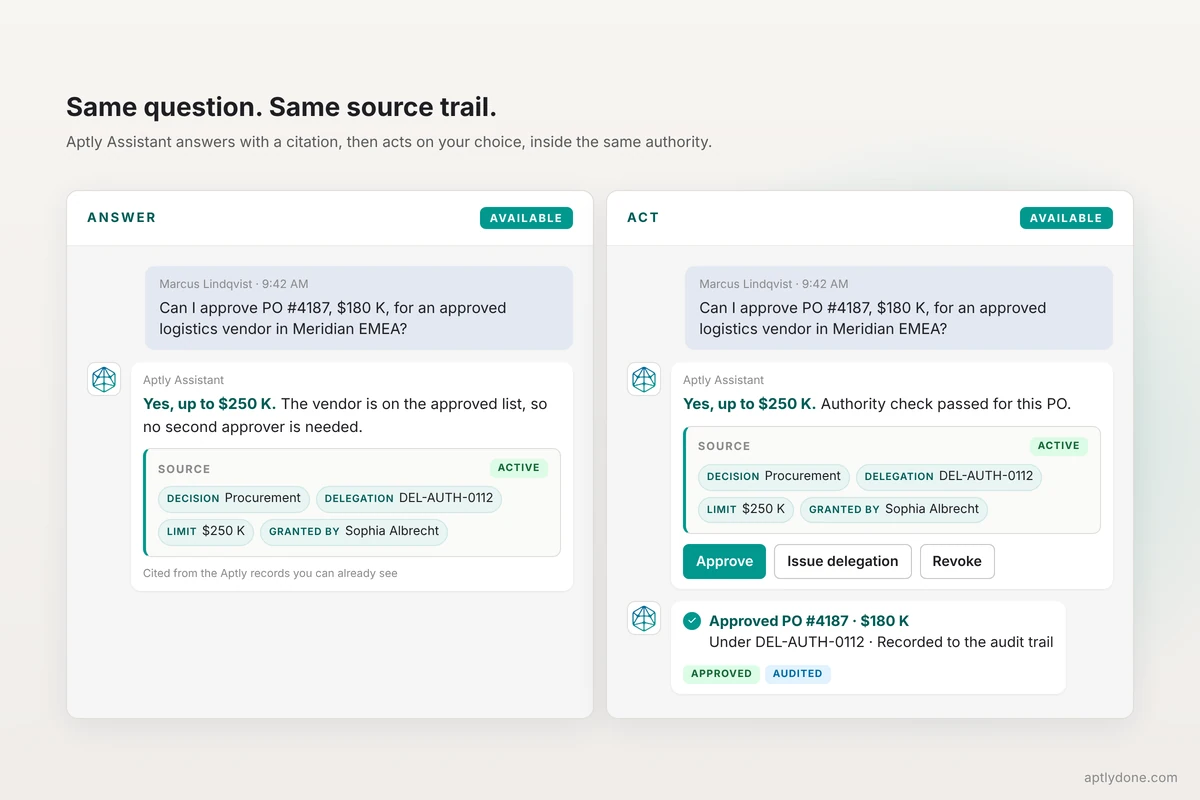
Act on authority directly in Teams, with no second application to open. Every action runs through the same authority check, so an out-of-authority action never executes, and each one is recorded to the audit trail.
Authority insights
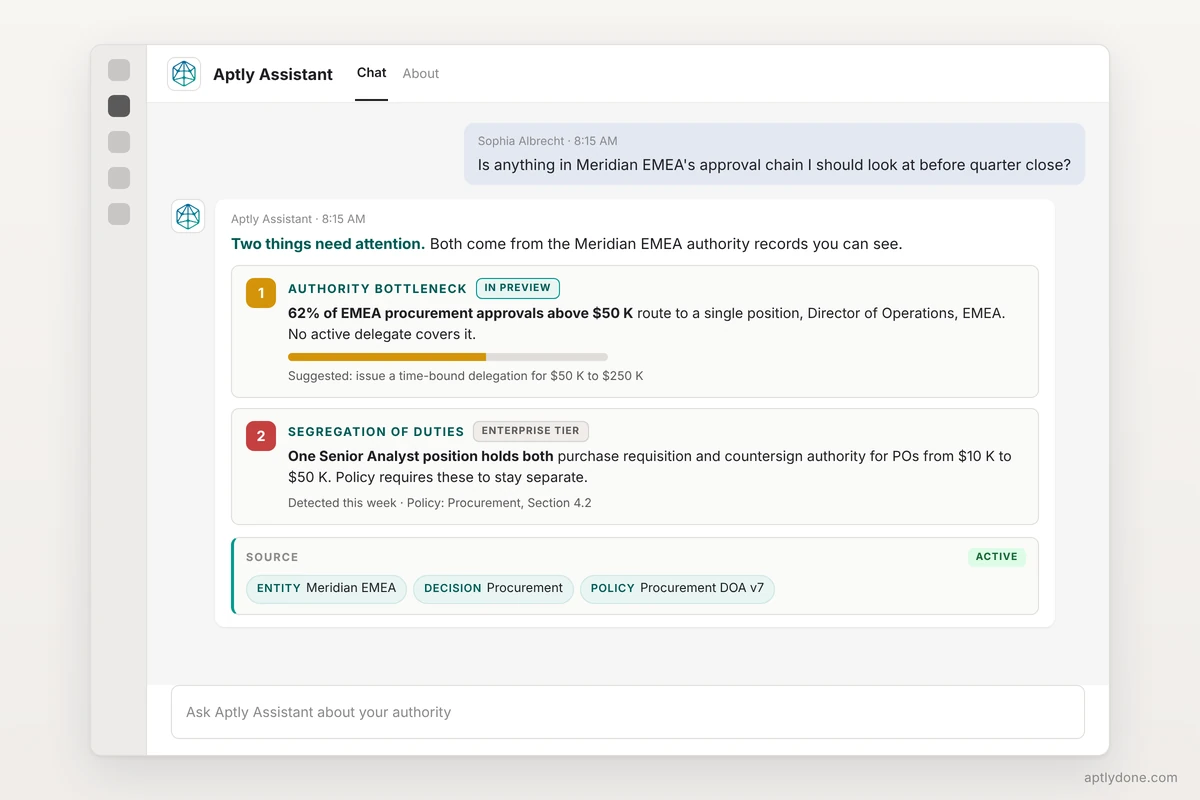
Ask where approvals are piling up or whether a position holds authorities that should stay separate. Authority bottleneck insight is in preview. Segregation-of-duties analysis is available in the Enterprise tier.
Approvers stop acting from memory. The answer sits where the decision is made, the citation makes it auditable, and the same governed record serves every surface: Teams, Slack and the web today, with custom agents in preview.
Read more: Aptly Assistant brings decision rights into Microsoft Teams, for people and AI agents.
Aptly streamlines decision management and empowers teams to do more, within the applications they already use.